



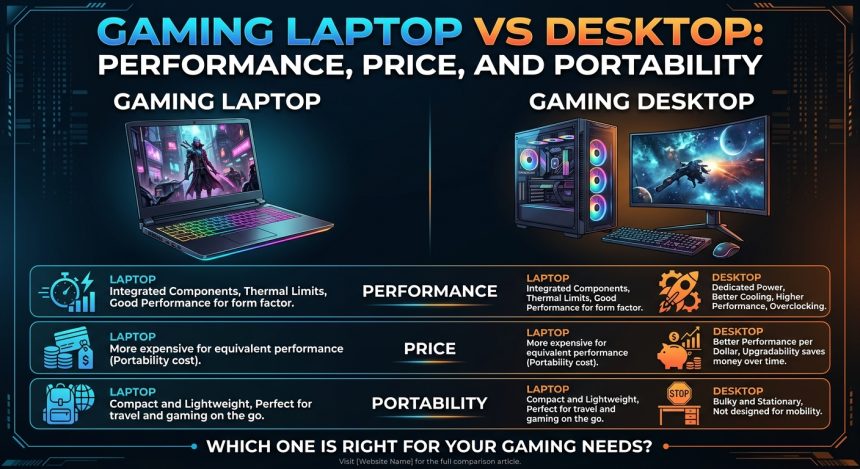
Choosing between a gaming laptop and a desktop can be difficult, especially when both options offer powerful hardware and excellent gaming performance. The right choice depends on how you play, where you use your computer, your budget, and whether portability matters to you.
In this gaming laptop vs desktop comparison, we will look at performance, price, portability, upgrades, cooling, battery life, and long-term value. By the end, you should have a clearer idea of whether a gaming PC or laptop fits your needs.
Gaming Laptop vs Desktop: What Is the Main Difference?
The biggest difference between a laptop and desktop for gaming is their design and purpose. A gaming desktop is built around separate components inside a larger case, while a gaming laptop combines the screen, keyboard, battery, and computer hardware into one portable device.
Desktops generally have more room for powerful components and cooling systems. Gaming laptops, on the other hand, are designed to provide good performance in a compact package.
If you only play games at home, a desktop can be a practical choice. If you regularly move between rooms, travel, study, or work in different locations, a laptop provides much greater flexibility.
What Is a Gaming Laptop?
A gaming laptop is a portable computer designed with hardware capable of running modern games. Depending on the model, it may include a dedicated graphics processor, a high-refresh-rate display, a powerful processor, fast SSD storage, and additional cooling hardware.
Unlike a regular laptop, gaming models are usually designed to handle demanding workloads for longer periods. They can also be used for video editing, schoolwork, programming, streaming, and other tasks.
Gaming PC or Laptop: Which Offers Better Performance?
Performance is one of the most important factors when comparing these two options.
A desktop usually has an advantage because it can accommodate larger cooling systems and more powerful components. Desktop graphics cards and processors can also operate with fewer space and thermal limitations.
Gaming laptops have improved significantly, however. Modern models can deliver smooth gameplay at high resolutions and refresh rates, particularly when equipped with dedicated graphics hardware.
The actual difference depends on the specific components. A powerful gaming laptop can outperform a budget desktop, while a well-built desktop can outperform many laptops at a similar overall price.
Graphics Performance
The graphics processor has a major effect on gaming performance. It handles tasks such as rendering game environments, lighting, shadows, textures, and visual effects.
Desktop systems generally provide more flexibility when selecting a graphics card. Gamers can choose hardware based on their preferred resolution and performance targets.
Laptop graphics hardware is designed around power and temperature limitations. As a result, two computers with similarly named graphics hardware may not necessarily deliver identical real-world performance.
Cooling and Sustained Performance
Gaming creates heat, and managing that heat is important.
Desktop cases can accommodate larger fans, heatsinks, and other cooling solutions. They also provide more physical space for airflow.
Gaming laptops use compact cooling systems with heat pipes, fans, and carefully designed vents. These systems can work effectively, but the smaller chassis gives them less room to dissipate heat.
For long gaming sessions, a desktop’s larger cooling capacity can be particularly useful.
Laptop vs Desktop for Gaming: Price and Value
Price is another major consideration.
When comparing similarly capable systems, a desktop can often provide more performance for the money. You are primarily paying for the computer components, while a laptop also includes a built-in display, keyboard, battery, speakers, webcam, and compact design.
However, desktop ownership may involve additional expenses. You may need to purchase a monitor, keyboard, mouse, speakers, webcam, or other accessories separately.
A gaming laptop can therefore be attractive if you need everything in one package.
Which One Is Better for a Limited Budget?
Think about your complete setup rather than comparing the price of the computer alone.
For example, someone buying a desktop may need:
- Monitor
- Keyboard
- Mouse
- Speakers or headset
- Webcam
- Wi-Fi adapter in some systems
A gaming laptop already includes most of these features.
This means the better value depends on what you already own and what you need to purchase.
Are Gaming Laptops Good for Everyday Use?
Yes. Are gaming laptops good for everyday use? They can be very useful beyond gaming.
A gaming laptop can handle everyday activities such as browsing, streaming, office applications, schoolwork, photo editing, and video calls. More powerful models can also handle demanding creative applications.
The main drawbacks are usually weight, heat, fan noise, and battery consumption. Gaming laptops often use more power than lightweight productivity laptops, particularly when running demanding software or games.
If you want one computer for gaming, work, and travel, a laptop can be convenient.
Portability: Where Gaming Laptops Have the Advantage
Portability is where the gaming laptop clearly differs from a traditional desktop.
A desktop normally stays in one location. Moving it requires transporting the computer case, monitor, power cables, keyboard, mouse, and other accessories.
A laptop combines most of these components into one device.
You can take it to school, the office, a friend’s house, or while traveling. You can also move between rooms without rebuilding your setup.
For people who value flexibility, this can be more important than having the maximum possible gaming performance.
Battery Life Considerations
Gaming laptops include batteries, but demanding games can drain them quickly. For the best gaming performance, you will generally want to connect the laptop to its power adapter.
Battery life is more useful for lighter tasks such as web browsing, writing, watching videos, or working with documents.
A desktop does not have this limitation because it is designed to operate from a constant power source.
Difference Between Laptop and Desktop: Upgrades and Repairs
Another important difference between laptop and desktop computers is upgradeability.
Desktop PCs usually make it much easier to reach, replace, and upgrade individual hardware components. Depending on the system, you can upgrade the graphics card, processor, RAM, storage, cooling system, power supply, and other components.
Laptops are more restricted. RAM and storage may be upgradeable on some models, but many components are integrated or difficult to replace.
This matters if you plan to keep your gaming machine for several years.
Which Is Easier to Upgrade?
A desktop usually offers more upgrade options.
For example, if your computer starts struggling with newer games, you may be able to install a newer graphics card or add more memory rather than replacing the entire machine.
With a laptop, your upgrade options depend heavily on the model. Storage and memory may be replaceable, but the processor and graphics hardware are often not practical upgrades.
Gaming Laptop vs Desktop: Which Should You Choose?
There is no single answer for everyone.
Consider a gaming laptop if you:
- Need a portable gaming machine
- Travel frequently
- Want an all-in-one setup
- Have limited space
- Use the computer for both gaming and work
- Prefer not to purchase a separate monitor
Consider a gaming desktop if you:
- Mostly play games at home
- Want maximum performance flexibility
- Prefer easier upgrades
- Want better cooling potential
- Plan to customize your system
- Already own a suitable monitor and peripherals
Your gaming habits should guide the decision more than specifications alone.
How to Choose the Right Gaming System
Before purchasing either option, identify the games you play and the resolution you want to use.
Competitive games may benefit from a high-refresh-rate display, while visually demanding single-player games can place greater emphasis on graphics performance.
Also consider storage. Modern games can take up significant amounts of space, so an SSD with sufficient capacity can make your experience more convenient.
Finally, think about longevity. A system that meets your needs today may not provide the same experience with demanding games several years from now.
FAQ About Gaming Laptop vs Desktop
Is a gaming laptop better than a desktop?
Neither is automatically better. A desktop generally offers more upgrade flexibility and cooling potential, while a gaming laptop provides portability and an all-in-one design.
Are gaming laptops good for gaming?
Yes. Modern gaming laptops can provide strong gaming performance, especially models equipped with dedicated graphics hardware and suitable cooling.
Is a gaming PC or laptop better for students?
It depends on the student’s needs. A laptop is easier to carry between home, school, and other locations, while a desktop can offer stronger upgrade options and a more comfortable permanent setup.
Can a gaming laptop replace a desktop?
For many users, yes. A sufficiently powerful laptop can handle gaming, work, entertainment, and creative tasks. The main trade-offs are usually upgradeability, cooling, and portability versus desktop performance.
What lasts longer, a gaming laptop or desktop?
Both can last for years with proper care. Desktops generally have an advantage when it comes to upgrading individual components, which can help extend the useful life of the system.
Conclusion
The gaming laptop vs desktop decision ultimately comes down to your priorities. A desktop is well suited to gamers who want customization, upgradeability, cooling potential, and a dedicated gaming setup. A laptop is more suitable for people who value portability and want gaming hardware that can also travel with them.
Before buying, compare the complete setup cost, hardware specifications, games you play, display requirements, and future upgrade needs. Choosing based on your actual usage will help you get a system that remains useful long after the initial purchase.